 Bitcoin Staking onboarding docs
About the Record
A summary of your approved enrollment.
The Enrollment Record lists everything that was approved for your enrollment in one bond. The Stacks Endowment prepares it for you after the bond’s terms are final and sends it over. You get one for each bond you join. The numbers on it are exact and stay the same while enrollment is open.
Plain numbersYour Record shows exactly how much BTC and how much STX your enrollment uses. There are no percentages and nothing to work out.
Contents
What is on it.
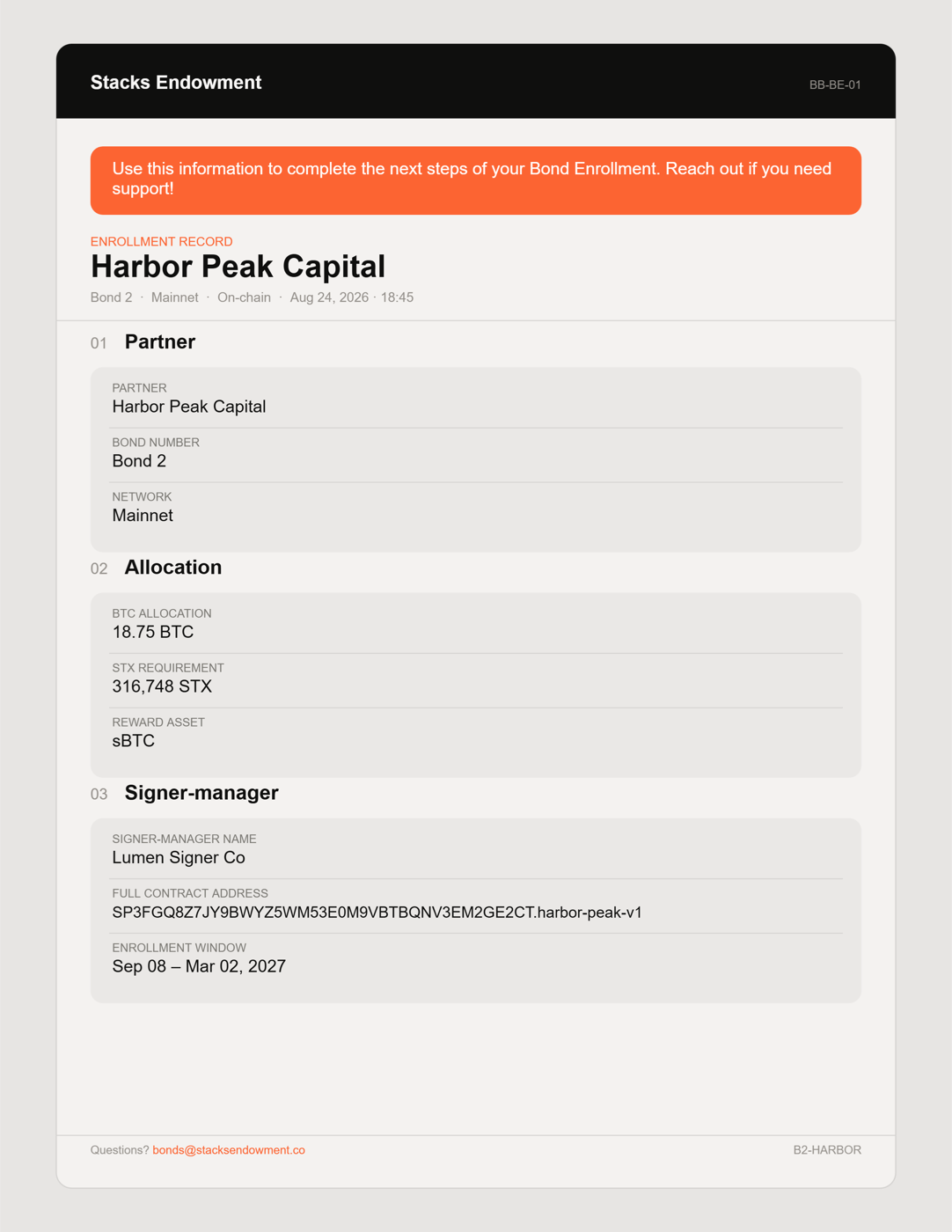
Here is a sample Record for a made-up partner. Below it is what each part means.
- Header
- Your organization’s name, the bond, the network, and the date the Record was prepared. On-chain means the bond’s terms are final.
- 01 · Partner
- Partner is your organization. Bond number is the bond you are joining. Network is always Mainnet.
- 02 · Allocation
- BTC allocation is how much BTC you were approved to enroll. STX requirement is how much STX goes with it. Reward asset is whether rewards are paid in BTC or sBTC.
- 03 · Signer-manager
- Signer-manager name and Full contract address identify the signer-manager to pick in the app. Enrollment window is the dates when you can enroll.
- Footer
- Who to contact at the Stacks Endowment with questions.
Support will never ask for your recovery phrase. Use only the Stacks Endowment contact named in your Enrollment Record.
During enrollment
How it is used during enrollment.
Who: everyone who approves a transaction. Guide 2 compares what the staking app shows with what the Record says at each step.
- Before anyone approves a transaction, the team compares the app with the Record: the bond, BTC amount, STX requirement, reward asset, and signer-manager.
- If anything is different, the team pauses and checks with the Stacks Endowment before approving.
- After enrollment, the Record goes with your other records along with both transaction IDs and the position link.
Before enrollment
How it reaches you.
- You and the Stacks Endowment agree on your allocation.
- You create your vault accounts following Guide 1.
- You submit your addresses at stacksendowment.co/bond-enroll (Guide 1 Step 7).
- The Stacks Endowment prepares your Enrollment Record once the bond’s terms are final and sends it to you. Guide 2 starts from there.
No Record yet? Guide 2 needs it. If your enrollment date is getting close and it has not arrived, your Stacks Endowment contact can help.